
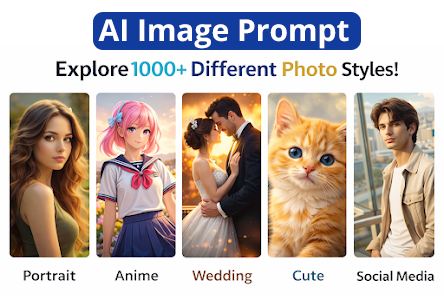
Trending Image Prompt in 2026
Discover AI Image Prompt best ideas and inspiration for Image prompts. Get inspired and try out new things.
If you’ve spent any time exploring AI art tools like Midjourney, DALL-E, Stable Diffusion, or Adobe Firefly, you’ve probably noticed one simple truth: the quality of what you get out is almost entirely dependent on the quality of what you put in. That “what you put in” is called an image prompt — and learning how to write one well is quickly becoming one of the most valuable creative skills of the decade.
Whether you’re a marketer building a campaign, a small business owner designing a logo, a hobbyist artist experimenting with new styles, or a content creator trying to stand out on social media, understanding how to craft an effective image prompt can be the difference between a stunning, on-brand visual and a blurry, off-target mess.
In this guide, we’re going to break down everything you need to know about image prompts: what they are, why they matter, how to structure them, the exact formulas professionals use, common mistakes to avoid, and how different AI image generation platforms interpret prompts differently. By the end, you’ll have a toolkit you can use immediately to get better results from any AI image generator.
Table of Contents
- What Is an Image Prompt?
- Why Image Prompts Matter More Than Ever
- The Anatomy of a Great Image Prompt
- Step-by-Step: How to Write an Image Prompt
- Image Prompt Formulas and Templates
- Popular AI Image Generators and How They Read Prompts
- Image Prompt Examples: Good vs. Bad
- Advanced Techniques for Power Users
- Image Prompts by Industry and Use Case
- Common Mistakes to Avoid
- Tools to Help You Build Better Image Prompts
- How Image Prompting Has Evolved (And Where It’s Headed)
- Frequently Asked Questions
- Final Thoughts
1. What Is an Image Prompt?
An image prompt is a text description — usually a sentence, phrase, or set of keywords — that you feed into an AI image generation tool to produce a visual output. Think of it as a set of instructions you’re giving to a very talented but very literal artist. The artist has never met you, doesn’t know your brand, doesn’t know your taste, and can only go off exactly what you tell them.
The concept of an image prompt emerged alongside diffusion-based AI models, which learn to generate images by studying millions of image-text pairs. When you type a prompt like “a golden retriever puppy sitting in a field of sunflowers at sunset, photorealistic, warm lighting,” the model translates that text into a mathematical representation and then generates pixels that match it as closely as possible.
Image prompts can range from incredibly simple (“a red apple on a white table”) to highly technical and layered, incorporating camera angles, lighting setups, art movements, color palettes, aspect ratios, and even the names of specific artists or photographers whose style you want to emulate.
The term “image prompt” is sometimes used interchangeably with “text-to-image prompt,” “AI art prompt,” or simply “prompt,” but it specifically refers to the descriptive language used to generate a visual result, as opposed to a prompt used to generate text, code, or audio.
2. Why Image Prompts Matter More Than Ever
A few years ago, creating custom visual content meant hiring a photographer, a graphic designer, or a stock photo subscription. Today, a well-written image prompt can produce a usable, high-quality image in seconds — often for free or at a fraction of the traditional cost.
Here’s why mastering the image prompt has become such a valuable skill:
Speed. What used to take hours of design work can now take seconds. Marketing teams use image prompts to generate dozens of concept visuals before ever briefing a designer.
Cost savings. Small businesses that could never afford custom photography or illustration now have access to unlimited visual content, provided they know how to prompt effectively.
Creative exploration. Artists and designers use image prompts to rapidly prototype ideas, explore “what if” scenarios, and break through creative blocks.
Personalization at scale. E-commerce brands are using image prompts to generate product mockups, seasonal variations, and localized marketing visuals without reshooting entire campaigns.
Democratization of design. You no longer need years of training in Photoshop or Illustrator to produce something visually compelling — you need to know how to describe what you want clearly.
But here’s the catch: not everyone gets great results. Two people can type prompts into the same tool and get wildly different quality outputs. The difference almost always comes down to prompt structure, specificity, and an understanding of how these models “think.” That’s exactly what this guide will teach you.
The Shift From “Finding” Images to “Creating” Them
For decades, the visual content workflow looked roughly the same: you needed an image, so you either hired someone to make it, shot it yourself, or searched a stock photo library hoping something close enough already existed. That last option — settling for “close enough” — has quietly shaped a huge percentage of the internet’s visual identity. Scroll through enough corporate websites and you’ll start recognizing the same smiling actors in the same stock photo poses.
The image prompt breaks that cycle entirely. Instead of searching for an existing image that approximates your idea, you describe the exact image you want and a model generates something new that matches it. This shift — from finding to creating — is arguably as significant as the shift from film photography to digital photography, or from print layout to desktop publishing. It changes not just how fast you can produce visuals, but what’s even possible to produce in the first place.
A Skill That Compounds Over Time
Unlike a lot of software skills that become obsolete when the interface changes, prompt writing is fundamentally a communication skill. The specific syntax of a platform might change from year to year, but the underlying discipline — thinking clearly about subject, mood, lighting, and composition, and translating that into precise language — transfers across tools and even across creative disciplines. Once you understand how to describe a visual idea with intention, you’ll find it easier to brief a human designer, write a creative direction document, or storyboard a video, because you’ve trained yourself to think visually and communicate that thinking in words.
That’s part of why so many creative agencies, marketing departments, and solo entrepreneurs are now treating “prompt literacy” as a core professional skill, on par with knowing how to use spreadsheet software or write a clear brief.
3. The Anatomy of a Great Image Prompt
Every strong image prompt tends to include some combination of the following elements. Not every prompt needs all of them, but understanding each piece gives you more control over your final result.
| Element | What It Does | Example |
| Subject | The main focus of the image | “a young woman,” “a vintage motorcycle,” “a mountain cabin” |
| Action/Pose | What the subject is doing | “walking through fog,” “reading a book by candlelight” |
| Setting/Environment | Where the scene takes place | “in a bustling Tokyo street,” “on a quiet beach at dawn” |
| Style | The artistic or visual style | “watercolor painting,” “3D render,” “photorealistic,” “anime” |
| Lighting | The mood created by light | “golden hour lighting,” “soft studio lighting,” “dramatic shadows” |
| Color Palette | The dominant tones | “muted pastels,” “vibrant neon,” “monochrome” |
| Camera Details | Simulated photography settings | “shot on 35mm film,” “wide-angle lens,” “shallow depth of field” |
| Composition | How elements are arranged | “rule of thirds,” “close-up portrait,” “bird’s-eye view” |
| Mood/Atmosphere | The emotional tone | “peaceful,” “eerie,” “energetic,” “nostalgic” |
| Quality Modifiers | Terms that push for higher fidelity | “highly detailed,” “8k resolution,” “award-winning photography” |
You don’t need to cram every category into a single prompt — in fact, doing so can sometimes confuse the model or produce cluttered results. The best image prompts are intentional. They include the details that actually matter for the vision you have in mind and leave the rest to the model’s creativity.
Why Order Matters
Most AI image generators give more visual “weight” to words that appear earlier in the prompt. This means if you want the sunflowers in the background to matter less than the puppy in the foreground, you should mention the puppy first. Structuring your prompt with your most important subject at the beginning, followed by supporting details, style, and technical specs, tends to produce more consistent results.
The Difference Between Descriptive Words and Instructional Words
New prompt writers often default to instructional language, the way they might talk to a human assistant — phrases like “please make,” “I want,” or “can you generate.” These words don’t add visual information, and most models simply ignore them or, worse, try to render them literally as text somewhere in the image. Image prompts work best when written as descriptions of a finished scene, not requests. Compare:
- Instructional (weaker): “Please create an image of a woman walking her dog in the park.”
- Descriptive (stronger): “A woman walking a golden retriever through a sunlit park, autumn leaves scattered on the path, candid photography style.”
The descriptive version reads almost like a caption you’d find under a photograph — and that’s exactly the mindset to adopt. You’re not asking for an image; you’re describing one that already exists in your imagination.
Balancing Specificity With Room for Creativity
There’s a common misconception that more detail always equals a better result. In practice, the goal is purposeful specificity, not exhaustive specificity. If every single detail in the frame is dictated, the output can feel stiff and overly literal, and you lose some of the surprising, creative interpretations that make AI-generated art compelling in the first place. A useful mental model: specify the details that matter to your goal (brand colors, composition, mood), and leave secondary details (background clutter, minor color choices, incidental objects) open to the model’s own creative judgment.
4. Step-by-Step: How to Write an Image Prompt
Let’s walk through a practical process you can use every time you sit down to write an image prompt.
Step 1: Start With a Clear Mental Image
Before typing anything, close your eyes (figuratively) and picture the final image. Ask yourself:
- Who or what is the main subject?
- What are they doing?
- Where is this happening?
- What time of day or season is it?
- What emotion should the viewer feel?
The clearer your mental picture, the easier it is to translate it into words.
Step 2: Identify Your Core Subject
Write one simple sentence describing your subject and their action. This becomes the backbone of your prompt.
Example: “A barista pouring latte art into a ceramic cup.”
Step 3: Add Environmental Context
Where is this happening? Add setting details that help ground the image.
Example: “A barista pouring latte art into a ceramic cup, inside a cozy brick-walled coffee shop with hanging plants.”
Step 4: Define the Style
Decide whether you want photorealism, illustration, 3D render, painting, or another aesthetic.
Example: “…photorealistic, shot on a DSLR camera.”
Step 5: Set the Lighting and Mood
Lighting has an enormous impact on the emotional tone of an image.
Example: “…warm morning light streaming through the window, cozy and inviting atmosphere.”
Step 6: Add Technical or Quality Modifiers
These help push the model toward higher fidelity and specific composition.
Example: “…shallow depth of field, highly detailed, 4k, professional food photography.”
Step 7: Combine and Refine
Putting it all together:
“A barista pouring latte art into a ceramic cup, inside a cozy brick-walled coffee shop with hanging plants, photorealistic, shot on a DSLR camera, warm morning light streaming through the window, shallow depth of field, highly detailed, professional food photography.”
Step 8: Test, Review, and Iterate
Generate the image, review the output, and identify what’s working and what isn’t. Adjust one or two variables at a time rather than rewriting the entire prompt — this makes it easier to understand what specific words are influencing the result.
Step 9: Use Negative Prompts (When Available)
Many platforms let you specify what you don’t want to see, such as “blurry,” “extra fingers,” “text,” or “watermark.” This helps clean up common AI artifacts.
Step 10: Save What Works
Once you find a prompt structure that consistently produces great results, save it as a template you can reuse and adapt for future projects.
5. Image Prompt Formulas and Templates
If you’re just getting started, formulas can take the guesswork out of prompt writing. Below are several tested templates you can adapt for different needs.
The Universal Formula
[Subject] + [Action/Detail] + [Setting] + [Style] + [Lighting] + [Quality Modifiers]
The Portrait Formula
Portrait of [subject], [expression/emotion], [clothing/accessories], [background], [lighting style], [camera/lens details], [art style]
Example: “Portrait of an elderly fisherman, weathered smile, wearing a worn wool sweater, foggy harbor background, soft diffused lighting, shot with an 85mm lens, photorealistic.”
The Product Photography Formula
[Product name] on [surface/background], [lighting setup], [angle], [style], [quality modifiers]
Example: “Minimalist ceramic mug on a marble countertop, soft studio lighting, top-down angle, clean commercial product photography, ultra-detailed.”
The Landscape Formula
[Location/scene] during [time of day/weather], [key features], [art style], [color palette], [mood]
Example: “Misty mountain valley during early morning, pine forest and a winding river, digital painting, cool blue and green tones, serene and peaceful.”
The Character Design Formula
[Character description] + [pose/action] + [outfit] + [setting] + [art style] + [level of detail]
Example: “A cyberpunk mercenary with glowing neon tattoos, standing on a rain-soaked rooftop, wearing a tactical trench coat, futuristic city skyline, digital concept art, hyper-detailed.”
The Logo and Brand Asset Formula
[Type of mark] for [brand/industry], [style], [color palette], [composition notes], on [background type]
Example: “Minimalist logo mark for a boutique coffee roastery, line-art illustration style, warm earth-tone color palette, centered composition, on a plain white background.”
The Social Media Header Formula
[Scene/subject] + [mood] + [style] + [aspect ratio note] + [space for text overlay if needed]
Example: “A flat lay of camping gear including a compass, map, and thermos on a wooden table, adventurous and rustic mood, warm natural lighting, wide banner composition with empty space on the right for text overlay.”
Worked Case Study: Refining a Prompt Over Several Rounds
It’s often more instructive to see how a prompt evolves than to only see a finished example. Here’s a realistic refinement process a small business owner might go through while generating a hero image for a website.
Round 1 (too vague): “a nice office”
Result: a generic, unremarkable stock-photo-style room with no clear identity.
Round 2 (adding subject and style): “a modern open-plan office with employees working”
Result: better, but the lighting is flat and the composition feels random.
Round 3 (adding lighting, mood, and composition): “a modern open-plan office with employees collaborating at a shared table, bright natural light from large windows, warm and energetic mood, wide-angle composition”
Result: significantly improved — natural light and mood descriptors give the image a clear identity.
Round 4 (final polish with quality modifiers and brand color cue): “a modern open-plan office with employees collaborating at a shared table, bright natural light from large windows, warm and energetic mood, wide-angle composition, accents of teal and white in the decor, photorealistic, high detail, shot on a 24mm lens”
Result: a polished, on-brand image that matches the company’s color scheme and communicates energy and collaboration — a direct, usable outcome for a website hero image.
This kind of round-by-round refinement is normal, even for experienced prompt writers. The goal isn’t to write a flawless prompt on the first attempt; it’s to build a repeatable process for closing the gap between what’s in your head and what appears on screen.
Quick-Reference Table of Prompt Building Blocks
| Category | Useful Words/Phrases |
| Photography Styles | photorealistic, cinematic, macro photography, portrait photography, documentary style |
| Art Styles | watercolor, oil painting, digital art, anime, pixel art, flat vector illustration, impressionism |
| Lighting | golden hour, blue hour, studio lighting, backlit, rim lighting, dramatic chiaroscuro |
| Camera/Lens | wide-angle, telephoto, fisheye, 35mm film, bokeh, shallow depth of field |
| Mood | whimsical, melancholic, triumphant, mysterious, cozy, futuristic |
| Quality Boosters | highly detailed, sharp focus, 8k, ultra-realistic, award-winning, trending on artstation |
6. Popular AI Image Generators and How They Read Prompts
Not all AI image tools interpret prompts the same way. Here’s a breakdown of some of the most widely used platforms and what tends to work best on each.
| Platform | Prompt Style That Works Best | Notable Features |
| Midjourney | Short, poetic, comma-separated descriptors; responds well to art references and style parameters | Strong artistic flair, supports parameters like –ar for aspect ratio and –stylize |
| DALL-E (via ChatGPT) | Natural, conversational sentences work well; understands context and instructions | Great at following complex, literal instructions and text within images |
| Stable Diffusion | Highly structured, keyword-heavy prompts with explicit weighting | Extremely customizable, supports negative prompts and fine-tuned models |
| Adobe Firefly | Clear, descriptive natural language; commercially safe outputs | Integrated into Adobe Creative Cloud, good for marketing-safe content |
| Ideogram | Works well with prompts that include desired text/typography | Strong at rendering readable text within images |
| Leonardo AI | Detailed, structured prompts similar to Stable Diffusion | Offers fine-tuned models for specific styles (anime, realism, etc.) |
A Quick Note on Aspect Ratios
Most platforms allow you to specify the shape of your output image directly in the prompt using a parameter (for example, –ar 16:9 in Midjourney). This matters more than people realize — a prompt built for a square Instagram post will need adjustment if you’re generating a widescreen banner image.
7. Image Prompt Examples: Good vs. Bad
Seeing side-by-side comparisons is one of the fastest ways to understand what separates an effective image prompt from a weak one.
| Weak Prompt | Why It Fails | Strong Prompt |
| “a dog” | Too vague — no context, style, or detail | “A golden retriever puppy playing in autumn leaves, soft afternoon light, photorealistic, shallow depth of field” |
| “cool car” | Subjective term with no visual meaning to the AI | “A matte black sports car parked on a rain-soaked city street at night, neon reflections, cinematic lighting” |
| “make it pretty” | No concrete visual instruction | “A minimalist bouquet of white peonies in a glass vase, soft natural window light, pastel color palette” |
| “business meeting” | Generic and cliché, will likely produce a stock-photo-style, low-effort image | “Four professionals collaborating around a wooden conference table with laptops and coffee cups, natural office lighting, candid documentary photography style” |
| “fantasy world” | Too broad — could mean thousands of different things | “A floating island city with waterfalls cascading into the clouds, glowing crystal spires, fantasy digital painting, dramatic sunset lighting” |
The pattern here is clear: specificity beats vagueness every time. The AI model can’t read your mind — it can only work with the words you give it.
8. Advanced Techniques for Power Users
Once you’re comfortable with the basics, these advanced techniques can help you push your image prompt skills even further.
Weighting Keywords
Many platforms allow you to emphasize certain words more than others using weighting syntax (this varies by tool — for example, parentheses or numerical multipliers in Stable Diffusion). This tells the model that a specific element should have more visual influence.
Negative Prompting
Negative prompts specify what to avoid. This is especially useful for eliminating common AI artifacts like distorted hands, extra limbs, unwanted text, or blurry backgrounds.
Example negative prompt: “blurry, low quality, distorted anatomy, watermark, extra fingers, text”
Style Blending
You can combine two or more distinct styles to create something unique, such as “cyberpunk meets Art Nouveau” or “watercolor illustration with a comic book outline.”
Reference-Based Prompting
Some tools allow you to upload a reference image alongside your text prompt (this is often called “image-to-image” generation). This is useful when you have a specific composition or color scheme in mind that’s hard to describe fully in words.
Iterative Prompting
Rather than trying to get the perfect image on the first attempt, generate a batch, select the best result, and use it as a new baseline — refining your prompt incrementally with each round.
Using Seed Numbers for Consistency
Most generators assign a “seed” number to each generation. Reusing the same seed with a slightly modified prompt allows you to make small, controlled changes while keeping the overall composition consistent — extremely useful for creating a cohesive set of images, like a product line or character sheet.
Prompt Chaining for Multi-Image Projects
For larger projects — like a full brand campaign or a children’s book — professionals often build a master prompt template and then swap out only the variable details (subject, setting, or action) for each individual image, keeping style, lighting, and quality modifiers consistent throughout.
Understanding Model “Bias” Toward Certain Interpretations
Every AI image model has been trained on a specific dataset, and that training data shapes default assumptions the model makes when your prompt leaves something unspecified. For example, if you don’t specify a time period, many models will default to a contemporary setting. If you don’t specify a demographic for a person in your scene, the model will fall back on whatever appeared most frequently in its training data for that type of description. Being aware of this is important for two reasons: first, it explains why an unspecified prompt sometimes produces a result that feels oddly generic or repetitive across multiple generations; second, it’s a reminder that if a specific detail matters to you — age, setting, era, cultural context — you need to state it explicitly rather than assuming the model will “know what you mean.”
Combining Multiple Prompts With Blending Tools
Some advanced platforms allow you to blend two separate prompts (or even two reference images) together, producing a hybrid result that draws from both. This is useful for exploring unusual creative combinations — for instance, blending “a Victorian greenhouse” with “a spaceship interior” to generate a unique steampunk-meets-sci-fi aesthetic that would be difficult to describe accurately in a single prompt.
Managing Consistency Across a Series
One of the trickiest challenges in AI image generation is maintaining a consistent character, product, or style across multiple images — for example, a mascot that needs to appear in ten different poses for a marketing campaign. A few techniques help here:
- Lock your seed number and only change small phrases in the prompt between generations.
- Reuse an identical style and lighting description word-for-word across every prompt in the series.
- Use reference image uploads (where supported) to anchor the model to a specific look.
- Generate in batches and select the closest matches, rather than expecting perfect consistency from a single run.
Even with these techniques, perfect consistency remains one of the harder problems in this space, and it’s an area where the technology continues to improve rapidly year over year.
9. Image Prompts by Industry and Use Case
Different industries use image prompts in very different ways. Here’s how various professionals are applying this skill in the real world.
Marketing and Advertising
Marketing teams use image prompts to rapidly generate campaign concepts, social media graphics, and ad creative variations for A/B testing — often producing dozens of options before a single traditional photoshoot would even be scheduled.
Sample prompt: “A diverse group of friends laughing together at an outdoor summer picnic, bright natural lighting, lifestyle photography, warm and inviting tones, shot on 50mm lens.”
E-Commerce and Product Design
Online retailers use image prompts to create product mockups, seasonal variations of existing products, and lifestyle shots without expensive photoshoots.
Sample prompt: “A pair of white sneakers on a concrete surface with dramatic side lighting, minimalist studio product photography, high contrast shadows.”
Publishing and Content Creation
Bloggers, authors, and content creators use image prompts to generate custom illustrations, book covers, and blog header images that don’t rely on generic stock photography.
Sample prompt: “A cozy reading nook with a cat curled up on a window seat, rain falling outside, warm interior lighting, storybook illustration style.”
Game Development and Concept Art
Game studios use image prompts extensively during pre-production to visualize characters, environments, and props before committing to expensive final assets.
Sample prompt: “A weathered space explorer’s helmet resting on alien red sand, distant twin suns setting, sci-fi concept art, moody atmospheric lighting.”
Education and Training Materials
Educators and instructional designers use image prompts to create custom diagrams, illustrations for children’s learning materials, and visual aids that match a specific curriculum’s tone.
Sample prompt: “A friendly cartoon illustration of the water cycle, bright and colorful, educational children’s book style, clear labels for evaporation, condensation, and precipitation.”
Real Estate and Architecture
Real estate professionals use image prompts to visualize renovation concepts, staging ideas, and architectural mockups before construction even begins.
Sample prompt: “A modern farmhouse living room with vaulted ceilings, large windows, neutral color palette, natural daylight, architectural photography style.”
Fashion and Apparel
Fashion brands and independent designers use image prompts to visualize garment concepts, generate mood boards, and create lookbook-style imagery before committing to a physical sample or full photoshoot.
Sample prompt: “A model wearing an oversized cream wool coat, standing on a cobblestone street in autumn, editorial fashion photography, soft overcast lighting, muted color grading.”
Food and Hospitality
Restaurants, cafes, and food bloggers use image prompts to generate mouth-watering menu visuals, seasonal promotional graphics, and social media content without needing a professional food stylist for every post.
Sample prompt: “A rustic wooden table with a steaming bowl of tomato basil soup, crusty bread on the side, soft natural window light, overhead shot, warm and comforting food photography style.”
10. Common Mistakes to Avoid
Even experienced users fall into these traps. Here’s what to watch out for.
Being too vague. As covered earlier, vague prompts produce vague, generic results. Specificity is your best friend.
Overloading the prompt. Cramming in fifteen different style references and modifiers can confuse the model and produce a muddled, incoherent image. Focus on the 4-6 elements that matter most.
Ignoring aspect ratio. Forgetting to set the correct dimensions for your intended use case (social post, banner, print) leads to awkward cropping later.
Using contradictory descriptors. Asking for “minimalist” and “highly detailed and ornate” in the same prompt sends mixed signals to the model.
Relying on brand names or copyrighted characters. Many platforms restrict or refuse prompts referencing trademarked characters or living public figures, and even when they don’t, using them can create legal and ethical complications — especially for commercial use.
Not iterating. Expecting the perfect image on the very first try is unrealistic. Professional results almost always come from several rounds of refinement.
Forgetting the negative prompt. Skipping this feature (when available) often means dealing with avoidable artifacts like distorted hands or unwanted watermarks.
Not saving successful prompts. If you land on a prompt structure that works beautifully, write it down. You’ll want to reuse and adapt that formula later.
Assuming one perfect prompt fits every platform. As covered in Section 6, wording that produces stunning results in Midjourney might produce mediocre results in Stable Diffusion or DALL-E. Treat cross-platform reuse as a starting point, not a guarantee.
Skipping context for niche or unusual concepts. If your subject involves specialized terminology (a specific historical uniform, a rare plant species, a technical piece of equipment), the model may not recognize the term at all. In these cases, describing the visual characteristics of the object in plain language often works better than relying on a niche label the model may not have been trained on extensively.
Overusing quality buzzwords without other detail. Phrases like “8k, ultra-detailed, masterpiece” can help push fidelity, but stacking them without any real scene description won’t compensate for a prompt that lacks a clear subject or composition. Quality modifiers are a finishing touch, not a substitute for the core description.
11. Tools to Help You Build Better Image Prompts
If writing prompts from scratch feels intimidating, there are several resources and approaches that can help:
- Prompt libraries and marketplaces where creators share prompts that have produced great results, often organized by style or use case.
- AI chat assistants (like Claude) that can help you brainstorm, refine, and expand a rough idea into a fully structured image prompt.
- Browser extensions and prompt builders built into some platforms that offer dropdown menus for style, lighting, and mood, which then auto-generate the text prompt for you.
- Community galleries on platforms like Midjourney’s Discord, where you can see the exact prompt used to create a specific image you admire.
A great habit to build is keeping a personal “prompt journal” — a simple document where you save your best-performing prompts, organized by category (portraits, products, landscapes, etc.), so you always have a strong starting point for your next project.
Using an AI Assistant as a Prompt-Writing Partner
One of the most underrated workflows is using a conversational AI assistant to help you write your image prompt before you ever hand it to an image generator. Instead of starting from a blank page, you can describe your rough idea in plain, casual language — “I want something warm and nostalgic for a bakery’s fall menu” — and have the assistant translate that into a structured, detail-rich prompt using the formulas covered earlier in this guide. This back-and-forth process is especially helpful when you know the feeling you’re going for but aren’t sure how to translate it into the specific visual vocabulary (lighting terms, composition terms, style references) that image generators respond to best. Many creators now treat this as a two-step workflow: brainstorm and refine the prompt with a language-focused AI assistant, then generate the final image with a dedicated image-generation tool.
12. How Image Prompting Has Evolved (And Where It’s Headed)
Understanding a little bit of history helps explain why image prompts work the way they do today — and gives you a sense of where this skill is likely headed next.
The Early Days: Keyword Soup
In the earliest generation of publicly available text-to-image tools, results were often chaotic, and the community quickly discovered that stacking as many descriptive keywords as possible — separated by commas, with little regard for grammar or sentence structure — tended to produce more detailed, higher-fidelity results. This gave rise to the “keyword soup” style of prompting: long strings of adjectives, art movement references, and technical camera terms crammed together, often with little concern for whether the sentence made grammatical sense. You can still see traces of this approach in a lot of prompt-sharing communities today, and it remains genuinely effective on certain platforms, particularly Stable Diffusion-based tools.
The Shift Toward Natural Language
As models became more sophisticated — trained on larger datasets and better at understanding context — natural, conversational prompts began producing results just as good, and sometimes better, than keyword-stacked ones. This was especially true for platforms like DALL-E, which were trained with a stronger emphasis on following detailed instructions rather than just pattern-matching keywords. This shift mattered because it lowered the barrier to entry significantly. You no longer needed to memorize a long list of “magic words” that photographers and artists on forums swore worked well — you could simply describe what you wanted the way you’d describe it to a person.
The Rise of Multimodal and Conversational Prompting
The newest wave of tools blends conversation and image generation into a single, fluid workflow. Instead of writing one static prompt and hoping for the best, you can now have a back-and-forth conversation with an AI assistant: describe a rough idea, see a result, ask for specific adjustments in plain language (“make the lighting warmer,” “move the subject to the left,” “make it feel more vintage”), and iterate collaboratively rather than rewriting an entire prompt from scratch each time. This conversational approach represents a meaningful shift from “prompt engineering” as a specialized technical skill toward something that feels much closer to simply directing a creative collaborator.
What’s Likely Coming Next
A few trends are already visible on the horizon for image prompting:
- Better spatial understanding. Newer models are increasingly able to follow precise instructions about where elements should be placed within a frame, rather than just generating a generally accurate composition.
- Stronger text rendering. Legible, accurately spelled text within images — long one of the weakest points of AI image generation — continues to improve rapidly.
- Tighter integration with editing tools. Rather than generating an image from scratch every time, more workflows are shifting toward generating a base image and then using targeted, prompt-based edits (like “change the background to a beach” or “remove the object on the left”) to refine specific regions.
- Personalized style memory. Some platforms are beginning to let users train or fine-tune a custom style profile, meaning your prompts can produce results that already match your brand or personal aesthetic without needing to restate every stylistic detail each time.
None of this changes the core fundamentals covered throughout this guide — clarity, specificity, and intentional structure will remain valuable no matter how the underlying technology evolves. But it’s worth knowing that the skill of writing a great image prompt is likely to keep getting more powerful and more forgiving over time, rewarding people who build a strong foundation now.
13. Frequently Asked Questions
What’s the difference between a prompt and an image prompt? A “prompt” broadly refers to any text input given to an AI model, including for text or code generation. An “image prompt” specifically refers to a prompt written to generate a visual image.
How long should an image prompt be? There’s no universal rule, but most effective prompts fall between 15 and 60 words. Very short prompts (“a dog”) tend to be too vague, while extremely long prompts (100+ words) can dilute the model’s focus. Aim for enough detail to be specific without overwhelming the system.
Can I use the same image prompt across different AI tools? You can, but results will vary because each platform interprets language slightly differently. It’s best to treat prompts as a starting template and adjust wording, structure, or parameters for each specific tool.
Do I need special software to write image prompts? No — image prompts are just plain text. You can write them in any text editor, a notes app, or directly into the AI tool’s input field.
Is it okay to use an artist’s name in a prompt? This is a genuinely debated topic. Referencing a living artist’s specific style raises copyright and ethical concerns, and many platforms have added restrictions around this. A safer and often more creative approach is to describe the visual characteristics you like (brushwork, color palette, composition) rather than naming a specific person.
Why do I keep getting distorted hands or faces? This is a well-known limitation of many AI image models, though it has improved significantly with newer versions. Using negative prompts, generating multiple variations, and choosing platforms known for stronger anatomical accuracy can help reduce this issue.
Can image prompts generate readable text within an image? Some tools (like Ideogram and newer versions of DALL-E) are specifically designed to handle text rendering well. Others struggle with this. If you need legible text in your image, choose a platform built for that purpose.
Are there prompt length or content restrictions? Yes, nearly every major platform has content policies prohibiting prompts related to violence, explicit content, or real public figures in misleading ways. Always review the specific platform’s usage guidelines.
Can I use AI-generated images commercially? This depends entirely on the platform’s terms of service and, in some cases, your subscription tier. Some tools grant full commercial rights on paid plans, while free tiers may restrict commercial use or require attribution. Always check the specific licensing terms before using a generated image in a business context, and consider that copyright law around AI-generated content is still evolving in many countries.
How do I get more consistent results across multiple generations? Lock in a seed number where the platform supports it, keep your style, lighting, and quality-modifier language identical across prompts, and only vary the specific detail you’re testing (like a pose or color). This isolates the variable you’re adjusting and makes results far more predictable.
Should I write image prompts in full sentences or as keyword lists? Both approaches work, and which one performs better can depend on the platform. Midjourney and Stable Diffusion often respond well to comma-separated keyword lists, while DALL-E (through ChatGPT) tends to handle natural, full-sentence descriptions particularly well. When in doubt, start with a natural sentence and convert it into a keyword list if you’re not getting the results you want.
14. Final Thoughts
Writing a great image prompt is part science, part art. The science lies in understanding structure — subject, setting, style, lighting, and technical modifiers — and how different platforms interpret language. The art lies in developing your own creative voice, learning through experimentation, and building an intuition for what specific words will translate into specific visuals.
The good news is that this is a highly learnable skill. You don’t need a background in design, photography, or coding to get great results — you need curiosity, a willingness to iterate, and a clear sense of the image you’re trying to create. Start with the formulas in this guide, study the examples, and don’t be afraid to generate a dozen variations before you land on the one that feels right.
It’s also worth remembering that no single prompt needs to be perfect on the first try. Every professional who works with AI image generation regularly — designers, marketers, illustrators, hobbyists — has built their skill through repetition, not through memorizing a single magic formula. The fastest way to improve is simply to generate often, pay close attention to which specific words changed the outcome, and keep a running record of what works for your particular style and needs.
If you take away just one idea from this guide, let it be this: an image prompt is a conversation between your imagination and the model’s capabilities. The more clearly and intentionally you communicate your side of that conversation, the more consistently the output will match the picture in your head. Treat every prompt as a small creative brief — subject, context, style, mood, and technical polish — and you’ll be well ahead of the vast majority of people who are still typing in single, vague phrases and wondering why their results look generic.
As AI image generation tools continue to evolve in 2026 and beyond, the fundamentals covered in this guide — clarity, specificity, and intentional structure — will remain the foundation of every great image prompt, no matter which platform you’re using or how the technology changes around you.
Master the image prompt, and you’ll have one of the most powerful creative tools of the modern era at your fingertips.

